
OneBlock in Minecraft: the complete guide
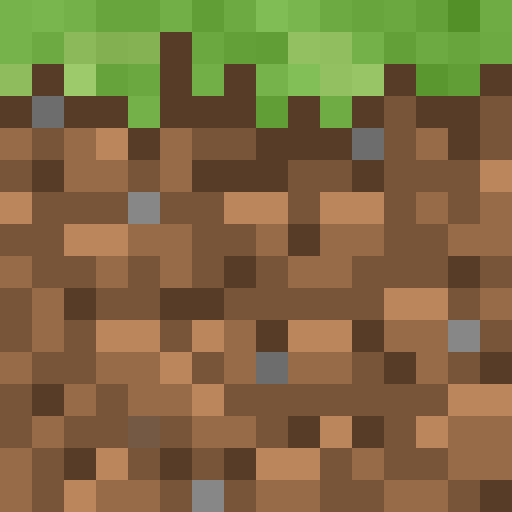
OneBlock is a unique survival minigame in which an entire world grows out of a single block. Mine it and it renews itself, giving you a different material, mob or item every time. Build an island from scratch, make it through every phase and create an empire out of nothing.
What is OneBlock?
OneBlock is a survival mode in which you start out standing on one single block suspended in the void. When you mine it, a new, random block appears in its place. It could be wood, stone, ore, dirt, sand or even obsidian. Occasionally a mob (a cow, a sheep, but also a zombie or a skeleton) or a chest with items appears instead of a block.
The OneBlock concept is brilliantly simple: one block is your only source of resources, and from those resources you have to build an island, survive and grow. As you mine blocks you move through successive phases (biomes) that change the pool of available blocks and mobs. You start with simple grass and wood blocks and end up with blocks from the Nether and the End.
OneBlock was created as a survival map by the Minecraft community and quickly gained popularity thanks to YouTubers. The mode is available both as a downloadable map (offline) and on multiplayer servers with extra features: island rankings, economy, challenges and a team mode.
What sets OneBlock apart from SkyBlock? In SkyBlock you have a cobblestone generator and limited starting resources. In OneBlock your only "generator" is the block itself, which produces random materials. That makes OneBlock more unpredictable and exciting: you never know what will appear under your pickaxe.
How to start playing OneBlock
On a multiplayer server
- Join a server with a OneBlock mode (addresses in the servers section below).
- Type the command
/oneblockor/ob create(it depends on the server). - You'll be teleported to your block in the void.
- Start mining the block and new materials will appear!
- Optional: invite friends with the command
/ob invite [name].
As an offline map
- Search for "OneBlock Minecraft map download" and download the map from a trusted source (for example CurseForge or PlanetMinecraft).
- Unpack the downloaded ZIP file.
- Move the map folder into the
.minecraft/saves/directory - Launch Minecraft and load the map from the world list.
As a datapack
There are also OneBlock datapacks you can install in any Minecraft world. The datapack creates a "magic" block that behaves like a OneBlock. It's a good option if you want to play on a server with friends without special plugins.
The phase system (biomes)
OneBlock has a phase system, and the phases change as you mine blocks. Each phase lasts a set number of blocks (usually 100-500) and changes the pool of available materials and mobs. Here are the typical phases in classic OneBlock:
Phase 1: Plains - blocks 1-100
Blocks: grass, dirt, oak wood, stone, coal, iron (rare).
Mobs: cows, sheep, chickens, pigs. Chests with basic tools and food.
Phase 2: Underground - blocks 101-300
Blocks: stone, andesite, diorite, granite, ores (coal, iron, gold, redstone).
Mobs: zombies, skeletons, spiders, creepers. Chests with iron gear.
Phase 3: Winter - blocks 301-500
Blocks: snow, ice, packed ice, spruce wood, stone.
Mobs: polar bears, strays (ice skeletons), foxes. Chests with food and tools.
Phase 4: Ocean - blocks 501-700
Blocks: sand, prismarine, sea lanterns, coral, sponge (rare).
Mobs: dolphins, turtles, drowned, guardians. Chests with tridents and potions of water breathing.
Phase 5: Jungle - blocks 701-900
Blocks: jungle wood, leaves, vines, cocoa, melon, bamboo.
Mobs: parrots, pandas, ocelots. Chests with enchanted items.
Phase 6: Swamp - blocks 901-1100
Blocks: lily pads, clay, vines, mangrove wood, mud.
Mobs: frogs, slimes, witches. Chests with potions and brewing ingredients.
Phase 7: Dungeon - blocks 1101-1300
Blocks: mossy cobblestone, spawners, chests, cobwebs, stone bricks.
Mobs: reinforced zombies and skeletons, creepers. Chests with diamond gear.
Phase 8: Desert - blocks 1301-1500
Blocks: sand, sandstone, red sandstone, cacti, TNT (rare).
Mobs: husks, rabbits, camels. Chests with enchanted books and treasure maps.
Phase 9: Nether - blocks 1501-1800
Blocks: netherrack, soul sand, nether bricks, quartz, ancient debris (rare!).
Mobs: piglins, hoglins, ghasts, blazes, wither skeletons. Chests with nether wart and netherite scrap.
Phase 10: Desolation - blocks 1801-2000
Blocks: obsidian, crying obsidian, blackstone, basalt, magma blocks.
Mobs: reinforced wither skeletons, piglins. Chests with netherite and diamonds.
Phase 11: The End - blocks 2001+
Blocks: end stone, purpur blocks, end rods, chorus plants, shulker boxes (rare!).
Mobs: endermen, shulkers, the Ender Dragon (boss fight!). Chests with elytra and enchantments.
The number of phases and the number of blocks needed to clear each one depend on the map version or the server configuration. The values above are typical settings for classic OneBlock. Servers may add extra phases, such as Cherry Grove, Mushroom Fields or Deep Dark.
First steps in OneBlock
Starting out in OneBlock is easier than in SkyBlock, but it takes some care. Here's the best strategy for the start:
- Mine the block by hand: at the start you have no tools. Mine the block with your hand and collect everything that drops. Wood, dirt, stone: everything is valuable.
- Make a crafting table: as soon as you get 4 planks from wood, craft a crafting table right away. It's your priority.
- Make a wooden pickaxe: a pickaxe speeds up mining stone many times over. Don't waste time mining stone with your bare hands.
- Expand the platform: place blocks around the OneBlock to enlarge the platform. Don't stand on a single block: if a hostile mob appears, you could fall into the void.
- Collect mobs: when a cow, sheep or chicken appears, don't kill it right away! Build a fence and keep them in a pen. Breeding animals will give you food in the long run.
- Build barriers: surround the edges of the island with fences or walls. Falling into the void means losing your whole inventory.
Warning: Hostile mobs (zombies, skeletons, creepers) can appear unexpectedly from the OneBlock! While you mine, keep a sword in your hotbar and be ready to switch. A creeper on a small platform is a potential disaster: it can destroy the whole island and kill your animals. Fight creepers right away and don't let them get close.
Building farms in OneBlock
Even though the OneBlock itself is an endless source of resources, building farms speeds up your progress considerably:
Animal farm (priority: critical)
When animals appear from the OneBlock, DON'T KILL THEM. Build a fence and keep at least 2 of each species. Breed them with wheat (cows, sheep), seeds (chickens) or carrots (pigs). An animal farm gives you endless food and leather (for starter armor).
Food farm (priority: high)
Once you get wheat seeds (from grass) and a block of dirt, set up a crop farm. Remember a water source: make an infinite water source (a 2x2 hole with water in two corners) as soon as you get a bucket. Without food your health won't regenerate. Read our first steps guide for more on crops.
Tree farm (priority: high)
You constantly need wood: for tools, building blocks and fuel. Once you get a sapling from leaves (the OneBlock sometimes generates trees), plant it on dirt and wait. Use bone meal to speed up growth.
Mob farm (priority: medium)
Build a dark platform at least 24 blocks from your position. Hostile mobs will spawn on it, giving you gunpowder, bones, string and XP. It's an important supplement to the blocks from the OneBlock.
Cactus/sugar cane farm (priority: medium)
Cacti (they appear in the Desert phase) and sugar cane grow automatically and can be sold on multiplayer servers. Automating them with pistons and observers gives you passive income.
Mobs from the OneBlock
The OneBlock generates not only blocks but also mobs. Here's what to do with the different types:
Friendly mobs
- Cows, sheep, chickens, pigs: breed them! Never kill the last two. Breed more and kill the surplus.
- Horses, llamas: hard to keep on a small island, but they can be useful. Build a stable.
- Dogs, cats: tame them (bones for a dog, fish for a cat). They protect against skeletons and creepers.
- Villagers: extremely valuable! Build them a house with a bed and a workstation. Trading gives you access to resources you can't get from the OneBlock. Read our guide to villager trading.
Hostile mobs
- Zombies, skeletons: kill them immediately. They give XP, bones (bone meal), iron (rarely) and arrows.
- Creepers: the most dangerous on a small island! The explosion destroys blocks. Attack from a distance with a bow, or sprint-hit them to knock them off the island.
- Spiders: kill them for string (bows, fishing rods) and spider eyes (potions).
- Endermen: kill them for ender pearls. Fight in an enclosed space 2 blocks high.
- Ghasts (Nether phase): extremely dangerous on an island! Fireballs destroy blocks. Deflect them back or hide behind blocks.
Tips and strategies
- Don't throw anything away: every block and item can come in handy. Build a chest system to organize your resources. Sort materials from the start: you'll thank yourself for the order later.
- Mine fast in the safe phases: the Plains and Underground phases have few dangerous mobs. Mine as fast as you can to get to the better phases.
- Slow down in the dangerous phases: the Dungeon, Nether and End phases generate dangerous mobs. Mine carefully, with a sword at the ready.
- Build platforms above the OneBlock: if you're afraid of creepers, build a platform 2-3 blocks above the OneBlock. Mobs will appear under the platform and won't see you right away.
- Save ancient debris: ancient debris appears rarely in the Nether phase. Collect at least 4 pieces to make a netherite ingot for upgrading your tools.
- Don't build a wooden house next to the OneBlock: creepers and ghasts can destroy it. Build with stone or obsidian.
- Play with friends: on multiplayer servers you can invite friends. One mines, another sorts resources, a third builds. Working together is much more efficient and less stressful.
- Explore after finishing the phases: some versions of OneBlock have hidden challenges, achievements and goals after you complete all the phases. Check the server's commands to see the list of challenges.
OneBlock vs SkyBlock: a comparison
OneBlock and SkyBlock are both island survival modes, but they differ in key ways:
| Aspect | OneBlock | SkyBlock |
|---|---|---|
| Start | One block, no tools | An island with a tree and a chest of resources |
| Source of resources | Random blocks from the OneBlock | Cobblestone generator, farms |
| Randomness | High: you never know what comes next | Low: cobblestone is predictable |
| Difficulty | Easier start, random challenges | Harder start, but predictable |
| Phase system | Yes: biomes change automatically | No: you have to get to the Nether yourself |
| Planning | Less planning, more adapting | Takes strategy and farm planning |
| Who it's for | New players, fans of randomness | Experienced survival players, planners |
Both modes have their fans. OneBlock is better for players who like surprises and a quick start, while SkyBlock offers deeper, more strategic gameplay. Many players play both. If you like OneBlock, definitely try SkyBlock too.
Best OneBlock servers
- Servers with classic OneBlock: many popular servers offer a OneBlock mode using plugins such as AOneBlock or SuperiorSkyblock2 with a OneBlock modification. Look on our server list.
- OneBlockMC: a server dedicated solely to the OneBlock mode. A big community, regular phase updates, island rankings, economy and challenges.
- Cubecraft (play.cubecraft.net): offers a OneBlock variant on Bedrock Edition. Great for players on phones and consoles.
- More servers: check the Minecraft server list, filtering by OneBlock mode.
If you prefer playing offline or with friends over LAN, download a OneBlock map from CurseForge or PlanetMinecraft. Alternatively, install a datapack on your own server. You can find more about servers on our server hub page.
Frequently asked questions
What is OneBlock in Minecraft?
OneBlock is a survival mode where you start on a single block in the void. When you mine it, a new block appears: a random one from a pool that depends on the current game phase. With the blocks, mobs and items that come out of that one block, you have to build an island and survive.
How is OneBlock different from SkyBlock?
In SkyBlock you start on an island with a tree, a chest and a cobblestone generator. In OneBlock you literally have one block that keeps refilling itself with random materials. OneBlock has a phase (biome) system that changes the block pool as you progress. OneBlock is simpler and more random, while SkyBlock takes more planning.
How do I play OneBlock?
Join a server with a OneBlock mode and type the command /oneblock or /ob create. You can also download a OneBlock map as a world file for offline play. On multiplayer servers you can invite friends to your island and compete in rankings.
How many phases does OneBlock have?
Classic OneBlock has 10-12 phases, from the starting Plains through Underground, Winter, Ocean, Jungle, Swamp, Dungeon, Desert, Nether and Desolation to the End. Each phase changes the pool of blocks and mobs. Servers can add their own phases.
Does OneBlock ever end?
After you finish all the phases (usually 10-12), OneBlock keeps generating blocks from the last phase (The End) indefinitely. Some versions have a special boss fight with the Ender Dragon after the End phase. After you "finish", you can keep expanding your island.
Can I play OneBlock on a phone?
Yes, OneBlock is available on Bedrock Edition. Servers such as Cubecraft offer this mode. You can also download a OneBlock map as an MCWORLD file and load it on your phone. More in our Bedrock guide.
What happens when I destroy the OneBlock?
You can't permanently destroy the OneBlock: it always regenerates. That's the game mechanic: you mine a block and a new one appears. All you can do is stop mining. The block waits for you patiently.
Summary
OneBlock is the ideal minigame for players who like surprises and building something from absolute zero. The phase system gives a sense of progression, random blocks and mobs keep the tension up, and expanding your island is satisfying at every new level. Start mining and find out what your block is hiding.
Back to the minigames list · SkyBlock · BedWars · Minecraft servers