
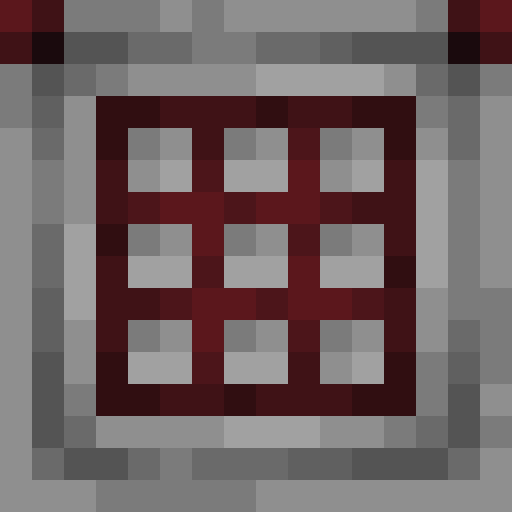
Crafter: automatic crafting in Minecraft 1.21
The Crafter is a block added in the 1.21 Tricky Trials update that lets you craft items automatically with redstone. You feed in ingredients with hoppers or droppers, send a redstone pulse, and the Crafter produces the finished item. It's a breakthrough for automation: recipes that used to require arranging items by hand at a crafting table can now run fully automatically.
How to craft a Crafter
The Crafter recipe at a crafting table:
- Row 1: iron ingot - iron ingot - iron ingot
- Row 2: iron ingot - crafting table - iron ingot
- Row 3: redstone dust - dropper - redstone dust
You need 5 iron ingots, 1 crafting table, 1 dropper and 2 redstone dust. The materials are easy to get in the mid-game, so the Crafter isn't an endgame block: you can build one relatively early.
| Property | Value |
|---|---|
| Hardness | 1.5 |
| Tool | Pickaxe (any) |
| Slots | 9 (3x3 grid) |
| Output | From the front of the block (the facing side) |
| Added in | Minecraft 1.21 |
How the Crafter works
The Crafter has a 3x3 grid like a crafting table. The difference is that you don't place items by hand (although you can). Hoppers and droppers do it automatically. When the slots hold a valid recipe and the Crafter receives a redstone pulse, it produces the item and ejects it from the front.
Step by step
- Place the Crafter and open its interface (right-click)
- Arrange the ingredients in the 3x3 grid according to the recipe (or disable the unused slots)
- Send a redstone pulse to the Crafter
- The Crafter crafts the item and ejects it from the front (the facing side, which depends on how you placed the block)
Crafting happens right after the Crafter receives a pulse. One pulse = one craft. The Crafter doesn't work continuously: it needs a pulse every time. That gives you precise control over production.
Disabling slots
The key mechanic of the Crafter is the ability to disable slots. Click an empty slot in the interface to disable it. A disabled slot is treated as empty when the recipe is checked, and hoppers can't put items into it.
Why disable slots?
Many recipes don't use all 9 slots. For example, sticks need 2 planks arranged vertically. Without disabling slots, hoppers would fill the slots in the wrong places and ruin the recipe. By disabling the 7 unused slots, you force the correct layout.
Example: automatic stick crafting
- Disable every slot except the top middle one and the center one
- A hopper feeds planks into the two enabled slots
- Redstone pulse → the Crafter produces 4 sticks
A redstone comparator attached to the Crafter reads its slots. That lets you detect when the Crafter has all its ingredients and automatically send the crafting pulse.
Redstone interaction
The Crafter reacts to a redstone signal in a specific way:
- Redstone pulse: the Crafter crafts one item and ejects it from the front. It needs a valid recipe in the grid.
- Continuous signal: the Crafter crafts once, on the rising edge. It won't craft again until the signal is turned off and on again.
- Redstone clock: connecting a clock lets it craft continuously at regular intervals.
If the recipe is invalid or ingredients are missing, the Crafter produces nothing when it receives a pulse. It doesn't waste materials or eject raw ingredients.
Item output
The crafted item flies out of the front of the Crafter as a thrown item, like from a dropper. A hopper, chest or other container placed in front of the Crafter catches the item automatically. You can also attach a hopper under the Crafter, but a hopper underneath pulls ingredients out of the slots, it doesn't collect the output.
Automation with hoppers
Fully automating a Crafter means solving one problem: hoppers put items into the first free enabled slot, going row by row from the left. You have to control which slots are available.
Method 1: disabled slots + one hopper
The simplest method, for recipes with a single type of ingredient. Disable the slots you don't need and the hopper fills the rest in order. It works for sticks, blocks made from 9 ingots, slabs and stairs.
Method 2: a cascade of Crafters
The output of one Crafter goes into the input of another. The first produces an intermediate item (for example sticks from planks), and the second uses it in the final recipe (for example pickaxes from sticks and ingots). This lets you automate multi-step recipes.
Practical uses
Auto-crafting storage blocks
Connect an iron farm to a Crafter. A hopper delivers ingots (all 9 slots stay enabled), and the Crafter makes blocks of iron automatically. It saves time with big farms.
TNT production
A creeper farm produces gunpowder and a sand farm produces sand. Hoppers deliver both to a Crafter set up for the recipe, which gives you automatic TNT production with no player involvement.
Arrow factory
A cascade of Crafters: the first produces sticks from planks, and the second crafts arrows from sticks, flint and feathers. Hook it up to a chicken farm (feathers) and a gravel farm (flint) and you have endless ammo production.
Automatic tool repair
A Crafter can combine two damaged tools of the same type (like a crafting table). Feed it two worn pickaxes and the Crafter merges them into one with the combined durability plus a 5% bonus.
Limitations
- One item per pulse: the Crafter doesn't craft in batches. Every pulse = one craft. Fast production needs a fast redstone clock.
- No enchanting: the Crafter can't use an anvil. Enchantments require using an anvil or an enchanting table by hand.
- Output at the front: the crafted item is ejected from the front of the Crafter as an item, and it doesn't go straight into a hopper underneath. To collect it automatically, put a hopper or another container in front of the Crafter.