
Small stone castle
Compact 19x19 stone castle of andesite and bricks, a good base or decoration.
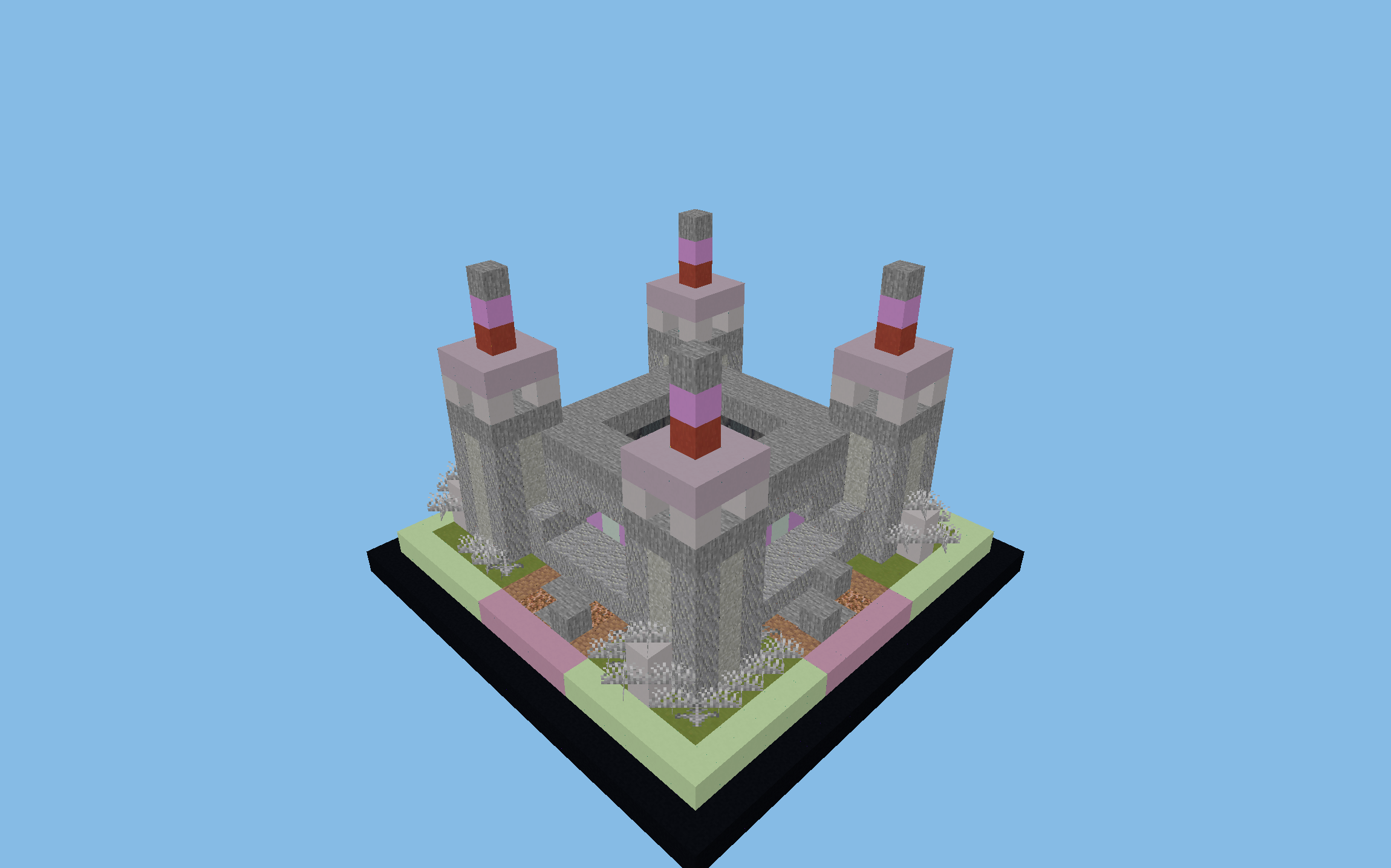
Paste it with WorldEdit using //schematic load zamek-bragi, then //paste.
Alternatively, open the file in Litematica and place the blocks yourself in Survival.
3D preview in your browser
Open in full view →Rotate the model with your mouse and zoom with the scroll wheel. Explore mode lets you fly inside (WASD + space/shift), and Layers mode shows the schematic layer by layer.
About the build
A compact stone castle on a 19x19 footprint, built from andesite and bricks with black concrete accents. Despite its small size (14 blocks tall), it feels like a solid stronghold and works great as your first PvP base, a landmark on a factions map or a decorative build near spawn. Its compact shape makes it easy to duplicate or to expand with walls and a moat. Download the .schem file and paste it with WorldEdit.
Material list
In total, you need ~2,500 blocks for this build. Here are the key materials:
Key features
- Compact stronghold
- 19x19 footprint
- Easy to duplicate
- 3D preview in your browser
How to build it: tips
Step 1: Prepare the site
Find a suitable spot in your world and measure out an area of 19x14x19 blocks (length x height x width). The build looks best in a plains, meadow or forest biome.
Step 2: Foundation and outline
Start with the foundation and the outline of the build. Measure 19 blocks in length and 19 blocks in width. Place the corners and join them with lines of the base block (Andesite). The foundation should be ready in a few minutes.
Step 3: The main structure
Build from the bottom up, one floor at a time. Raise the walls from the main materials: Andesite, Bricks, Black Concrete. Leave gaps for windows and doors. The structure is simple: rectangular walls and a plain roof.
Step 4: Roof and exterior details
Once the walls are up, move on to the roof. Top the towers with battlements or cone-shaped roofs made of stairs. Add the exterior details: lighting, fences, decorations.
Step 5: Interior and finishing touches
Finally, furnish the interior. The key features of this schematic are: Compact stronghold, 19x19 footprint, Easy to duplicate, 3D preview in your browser. Add enough lighting (lanterns, torches, sea lanterns) to stop hostile mobs from spawning: at least one light source every 12 blocks.
Tags
Similar schematics
Town hall
Impressive three-story town hall with a colonnade, the centerpiece of a spawn...
Defense tower
Slender watchtower 51 blocks tall with an observation platform at the top.
City library
Large library with bookshelves and wood-and-stone architecture, a public buil...
Blacksmith's forge
Village forge with brick chimneys and a hearth, a blacksmith's workshop for a...
