
Town hall
Impressive three-story town hall with a colonnade, the centerpiece of a spawn area or town square.
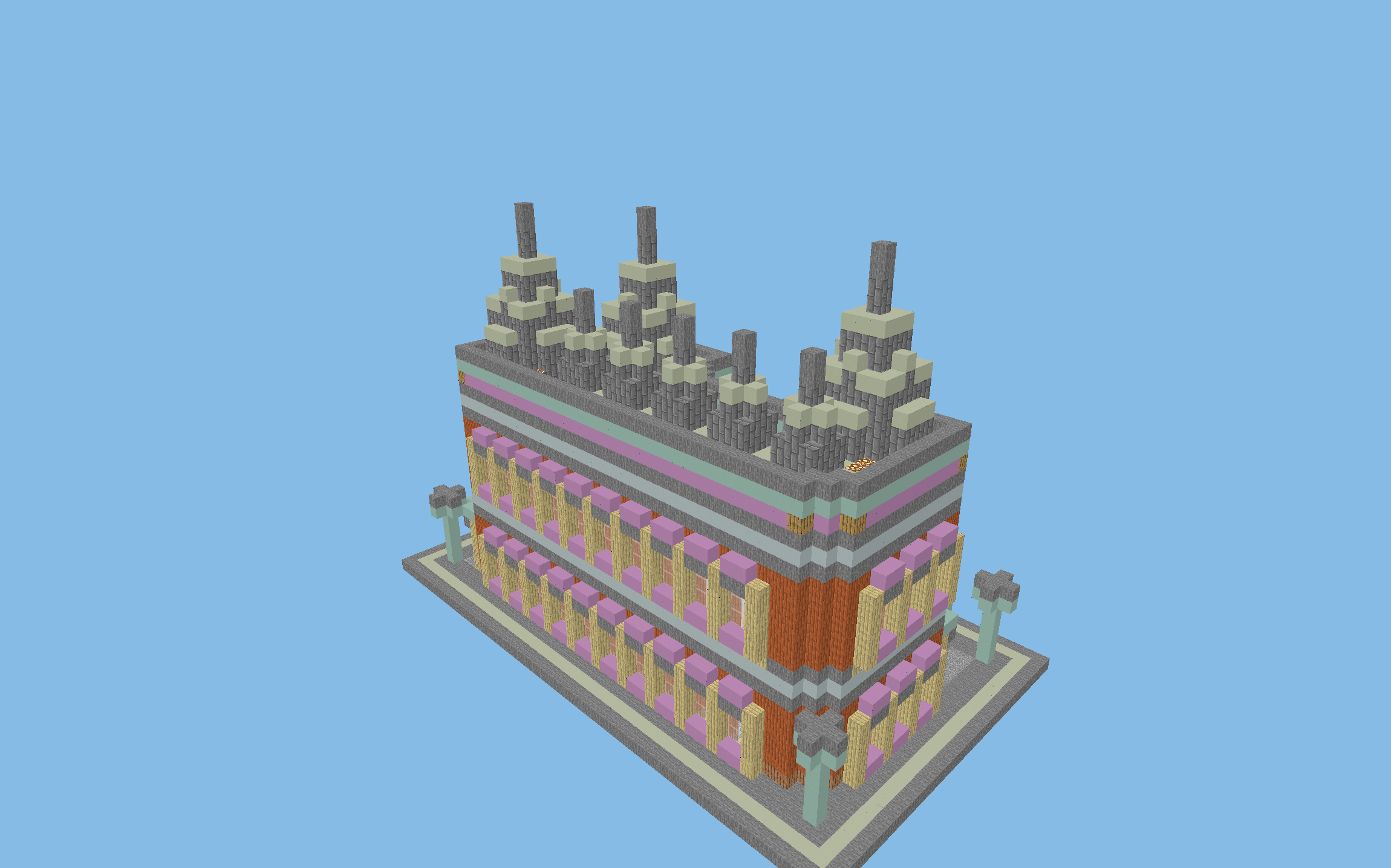
Paste it with WorldEdit using //schematic load ratusz-miejski, then //paste.
Alternatively, open the file in Litematica and place the blocks yourself in Survival.
3D preview in your browser
Open in full view →Rotate the model with your mouse and zoom with the scroll wheel. Explore mode lets you fly inside (WASD + space/shift), and Layers mode shows the schematic layer by layer.
About the build
A monumental town hall: a central public building that gives character to a server spawn or a town square. It has an ornate facade with a colonnade, three stories and a mix of stone and acacia planks. It comes from williamcwi/GDMC, a city generator made for a competition (Apache 2.0 license), and has been converted to the .schem format: paste it with WorldEdit or build over its hologram in Litematica.
Material list
In total, you need ~5,820 blocks for this build. Here are the key materials:
Key features
- Monumental facade with a colonnade
- Three stories
- Perfect for a server spawn
- Apache 2.0 license
How to build it: tips
Step 1: Prepare the site
Find a suitable spot in your world and measure out an area of 48x33x28 blocks (length x height x width). The build looks best in a plains, meadow or forest biome.
Step 2: Foundation and outline
Start with the foundation and the outline of the build. Measure 48 blocks in length and 28 blocks in width. Place the corners and join them with lines of the base block (Stone). For complex designs, it's worth using temporary blocks (such as dirt) as scaffolding.
Step 3: The main structure
Build from the bottom up, one floor at a time. Raise the walls from the main materials: Stone, Acacia Planks, Stone Bricks. Leave gaps for windows and doors. For more complex elements (arches, domes, spirals), build symmetrically from the center outward.
Step 4: Roof and exterior details
Once the walls are up, move on to the roof. Build the roof from stairs of a matching material, and don't forget the eaves. Add the exterior details: lighting, fences, decorations.
Step 5: Interior and finishing touches
Finally, furnish the interior. The key features of this schematic are: Monumental facade with a colonnade, Three stories, Perfect for a server spawn, Apache 2.0 license. Add enough lighting (lanterns, torches, sea lanterns) to stop hostile mobs from spawning: at least one light source every 12 blocks.
Tags
Similar schematics
City library
Large library with bookshelves and wood-and-stone architecture, a public buil...
Blacksmith's forge
Village forge with brick chimneys and a hearth, a blacksmith's workshop for a...
Village bakery
Two-story bakery with a brick bread oven, a craftsman's building for a village.
Wooden greenhouse
Wood-and-glass greenhouse with an indoor garden, a village-style way to grow ...
