

 5 min read
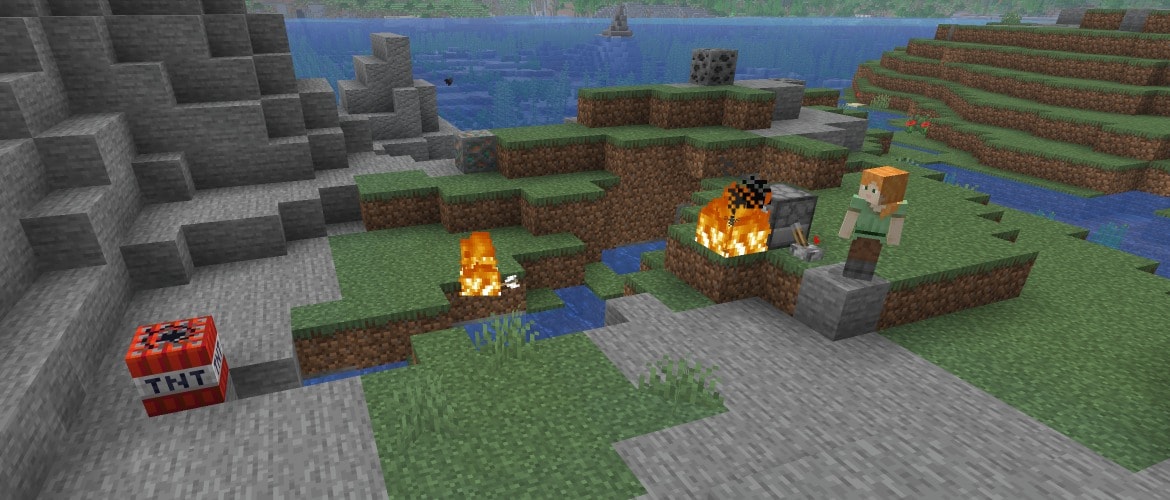
Mojang has released Minecraft 26.4 Snapshot 9, the ninth round of testing for the winter Deep Freeze drop. The biggest change is Vulkan becoming the default graphics backend in Java Edition, with the "experimental" label dropped. On top of that, dispenser behaviors are now fully configurable through data, there's a new fog setting, and there are accessibility fixes in the Recipe Book.
Vulkan stops being an experiment
Starting with Snapshot 1 of this drop, the "Default" graphics option started favoring Vulkan if the graphics card and drivers supported it. In Snapshot 7, Mojang tested randomly switching between OpenGL and Vulkan on each game launch to gather stability data. In Snapshot 9, that experiment ends: Vulkan is now a permanent default backend rather than a random choice, and the developers have removed the "experimental" tag from this option.
The developer notes state: "The plan is to ship 26.4 with Vulkan as the default graphics API, unless we detect critical bugs before the full release." This means most Java players will automatically run the game on Vulkan after updating to the full 26.4 release, unless they manually switch the setting to OpenGL. Keep in mind that some mods and shaders may still not work properly with Vulkan, so owners of such setups use mods at their own risk.
Fog setting split in two
Snapshot 9 separates the "Improved Fog" setting from "Improved Transparency." Enabling both together gives the effect known from previous snapshots: the sky and clouds blend into the terrain's render distance fog. Enabling just "Improved Fog" without "Improved Transparency" only blends the sky, not the clouds, giving more control over how the horizon looks.
- The setting is enabled by default, but disabled on the "Fast" graphics preset
- On the "Fancy" and "Fabulous" presets it's enabled automatically
- The performance impact is minimal, though it may be noticeable on weaker hardware
- You can now use "Improved Transparency" without "Improved Fog," if you didn't like the fog effect
Dispensers are now fully data-driven
The biggest technical change is moving dispenser behaviors into the data system. The new dispense_behavior registry folder lets you define sequences of behaviors triggered when dispensing an item, and the new minecraft:dispense_behavior component assigns a specific behavior to an item. Among the built-in behaviors are minecraft:brush_armadillo (brushing an Armadillo), minecraft:convert_to_mud (turning a block into Mud with Water from a potion), and a new block transformer, minecraft:honeycomb, which lets you wax blocks with Honey Block dispensed from a dispenser.
For Java data pack creators, this is a significant change: until now dispenser behaviors were hardcoded in the client and server, and now most of them can be overridden or new ones created without modifying the game's code. This is useful on servers with custom redstone mechanics, where dispensers handle farm and machine automation.
Keyboard and narrator support in the Recipe Book
Snapshot 9 continues the accessibility work started in previous snapshots of this drop. The Recipe Book and the creative inventory can now be fully operated with the keyboard: Tab switches between tabs, the search field, the filter, recipes, and pages, and Enter or Space places a recipe into the crafting grid. Holding Shift places as many items as possible, and Control plus Enter opens the alternative recipes popup, just like right-clicking with the mouse.
- A separate "Repeat Recipe/Trade" key (R by default) has been added, replacing the previous recipe-repeating behavior tied to Space and Enter
- The same key repeats the last trade with a Villager and a Wandering Trader
- The narrator now reads out tabs, the search field, page buttons, and the recipes themselves along with their position in the grid
- Tabs in the creative inventory are narrated with their name and position
Dedicated servers and bug fixes
Java dedicated server administrators will find a new field in server.properties, key-rotation-period-seconds, which sets the minimum time after which the server regenerates the keys used to establish new connections. The default value is 60 seconds, and setting it to 0 means a unique, one-time key for every connection. The procedure for establishing the encryption key in the login protocol has also changed. Server operators who want to test the new settings before the full release can find a list of all versions on the Minecraft server list, where part of the community already offers test instances of snapshots.
The changelog also includes a number of long-standing Mojang Bug Tracker reports, including a bug with bubbles in water columns not appearing at the top of the column (MC-132067), misaligned particles in Basalt Deltas (MC-146740), and Clocks and Compasses in the creative inventory that were functional despite not being supposed to be (MC-182892). The snapshot also bumps the Data Pack version to 128.0 and the Resource Pack version to 104.0.
How to play Snapshot 9
Snapshot 9 is available exclusively for Java Edition through the snapshots tab in the Minecraft launcher. Anyone who wants to try it out should first back up their world, since test versions can be unstable. You'll find download instructions and a list of available versions in our Minecraft Java Edition download section, and a full overview of what's already known about the Deep Freeze drop is in our versions and updates roundup.