
Lodestone: the complete guide
The Lodestone is a navigation block added in the Nether Update (1.16). It lets you link a compass to a spot of your choice, so the compass points there instead of at the world spawn point. Unlike an ordinary compass, a linked compass also works in the Nether and the End, as long as the Lodestone is in the same dimension you are in. For players exploring the Nether, that makes finding the way back to base much easier.
What is a Lodestone
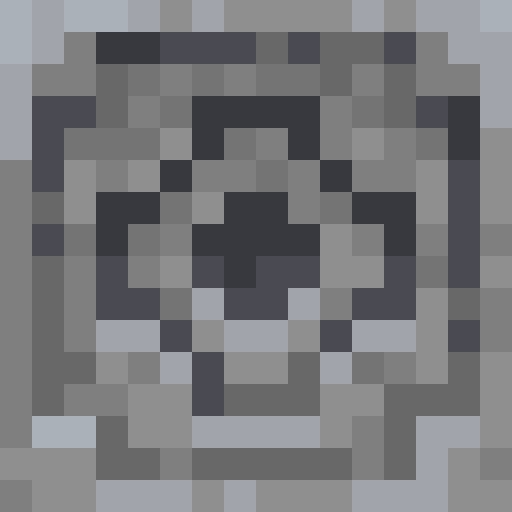
The Lodestone is a navigation block that was added in version 1.16 (the Nether Update). It looks like a gray stone block with a dark, metallic pattern in the middle. Its only use is working with a compass: after you link them, the compass stops pointing to the world spawn point and points to the Lodestone instead.
| Property | Value |
|---|---|
| Hardness | 3.5 |
| Blast resistance | 3.5 |
| Minimum tool | Wooden Pickaxe (any pickaxe works; without one the block drops nothing) |
| Stackable | Yes, up to 64 |
| Dimensions | Works in the Overworld, the Nether and the End (a compass only points to a Lodestone in the same dimension) |
Unlike a Beacon, a Lodestone does not need a pyramid of mineral blocks. It is a single block that works on its own, as long as you carry a compass linked to it.
How to get a Lodestone
A Lodestone does not generate naturally as a block in the world. You can craft it yourself or find it in chests in a couple of structures.
Found in chests
- Bastion Remnant (bridge variant): the chest in a bridge-type Bastion Remnant always contains 1 Lodestone.
- Ruined Portal: each chest has a 2 in 3 chance of holding 1-2 Lodestones. This was added in 1.21.5.
Chest loot is too unreliable to count on, so in practice most players craft their Lodestone. Fortunately the recipe is cheap.
Ingredients
- 8 x Chiseled Stone Bricks
- 1 x Iron Ingot
You only ever need one Lodestone, because you can link any number of compasses to a single block.
In Java Edition 1.16 to 1.21.4 (and in Bedrock Edition before 1.21.60), the ingredient in the middle was a Netherite Ingot instead of an Iron Ingot. That was one of the most expensive recipes in the game: you had to travel to the Nether, mine Ancient Debris, smelt it into Netherite Scrap and combine 4 scrap with 4 Gold Ingots. See our Netherite guide if you play on one of those versions.
Recipe: crafting step by step
The recipe needs a full 3x3 crafting grid. The layout is simple: an Iron Ingot in the middle and eight Chiseled Stone Bricks around it.
| Column 1 | Column 2 | Column 3 |
|---|---|---|
| Chiseled Stone Bricks | Chiseled Stone Bricks | Chiseled Stone Bricks |
| Chiseled Stone Bricks | Iron Ingot | Chiseled Stone Bricks |
| Chiseled Stone Bricks | Chiseled Stone Bricks | Chiseled Stone Bricks |
How to get chiseled stone bricks
- Smelt Cobblestone in a Furnace to get Stone.
- Put the Stone in a Stonecutter and pick Chiseled Stone Bricks. One Stone gives one Chiseled Stone Bricks, so 8 Stone gives the 8 you need.
- Without a Stonecutter: place 4 Stone in a 2x2 square to craft 4 Stone Bricks, put 3 Stone Bricks in a row to craft 6 Stone Brick Slabs, then stack 2 slabs vertically in the crafting grid to craft 1 Chiseled Stone Bricks.
Cost
The whole recipe costs eight Stone (smelted from Cobblestone) and one Iron Ingot (smelted from iron ore or raw iron), so you can make a Lodestone early in a survival world. An ordinary compass, which you need to link to it, costs 4 Iron Ingots and 1 Redstone Dust.
How to use a Lodestone with a Compass
The procedure is simple, but it has a few details that beginners often miss.
- Place the Lodestone where you want the compass to point, usually next to your bed in your base or next to a Nether portal.
- Hold an ordinary compass. You do not need a special compass, any regular one will do.
- Right-click the Lodestone with the compass. You will hear a locking sound, and the compass gets an enchantment glint.
- From now on the compass points toward the Lodestone instead of the world spawn point (as long as you are in the same dimension as the Lodestone).
The first time you link a compass to a Lodestone you also earn the advancement "Country Lode, Take Me Home".
A linked compass is called a Lodestone Compass, and its enchantment glint makes it easy to tell apart from an ordinary compass in your inventory. If you carry several, rename them on an anvil, for example "Home" and "Nether portal", so you do not mix them up.
What happens when the block is destroyed
The compass starts spinning randomly, like an ordinary compass in the Nether or the End. To fix it, place a new Lodestone and right-click it with the compass again. There is one exception: if the compass is stored in a chest or another container when the Lodestone is destroyed, it does not notice until you take it out. If you place a Lodestone back in the exact same spot before that, the compass stays linked.
Uses in the Nether and the End
The real value of the Lodestone shows when you leave the Overworld.
Navigation in the Nether
Without a Lodestone, a compass spins randomly in the Nether. A linked compass points exactly to its Lodestone, but only if that Lodestone is in the same dimension: a compass linked to a Lodestone in the Overworld spins randomly in the Nether. The most common setup is one Lodestone next to your portal in the Overworld and a second one next to your portal in the Nether, each linked to its own compass, for example "Home" and "Nether portal".
Navigation in the End
In the End an ordinary compass spins randomly too. Place a Lodestone next to the obsidian platform where you arrive (or next to the exit portal) and link a compass to it. It helps you find your way back to the main island from the outer islands and End Cities.
Several destinations
Every compass can be linked to a different Lodestone. Some players keep a set of 5-10 compasses in a chest, each leading to a different outpost, Nether mine or farm.
Adventure maps and servers
Adventure map designers can use Lodestone Compasses to guide the player through a series of locations without a map. The player gets a compass linked to the next point, which makes a simple and elegant quest system.
FAQ: limits and blast resistance
Is the Lodestone blast resistant?
No. Its blast resistance is 3.5, lower than the 6 of ordinary Stone, so a Creeper, TNT or a Ghast fireball can destroy it. If you want to protect it, put the Lodestone in a sealed chamber made of Obsidian or Blocks of Netherite.
How many compasses can I link to one block?
There is no limit. You can link 100 compasses to a single Lodestone and each one works independently. The game does not treat the link as a property of the block. It is a property of the compass.
Does the Lodestone work between dimensions?
No. A Lodestone Compass only points to a Lodestone that is in the same dimension as you. If the Lodestone is in a different dimension (or has been destroyed), the compass spins randomly. The Lodestone itself works in all three dimensions, so place one in each dimension where you want to navigate.
Can I move a Lodestone with a piston?
No. Neither a Piston nor a Sticky Piston can push or pull a Lodestone. Explosions can still destroy it.
Can I copy a compass that is linked to a Lodestone?
Not by crafting. To get another compass for the same place, just right-click the Lodestone with a new compass. That is handy if you want to give a friend on a server a compass to the same location.
Why won't my compass link?
Make sure you right-click the Lodestone block itself while holding the compass. Using the compass in the air does nothing. If the compass is already linked to another Lodestone, right-clicking a new Lodestone replaces the old location.
Do I need netherite to make a Lodestone?
Not anymore. Since Java Edition 1.21.5 (and Bedrock Edition 1.21.60) the recipe uses an Iron Ingot instead of a Netherite Ingot. On older versions (1.16 to 1.21.4) a Netherite Ingot is required, but you can also find Lodestones in the chests described in "How to get a Lodestone" above. Another option for navigation without a Lodestone is to write down coordinates and mark places on maps.