
Minecraft Banners: The Complete Guide
Banners are some of the most customizable decorative blocks in Minecraft. With 16 base colors and 40+ patterns applied layer by layer (up to 6 layers), they add up to millions of possible combinations. Your knightly coat of arms, your team's logo on a server, your nation's flag in your world: banners are how you express yourself in the game.
Crafting a banner
You craft a plain banner from 6 blocks of wool + 1 stick. The wool fills the top 6 slots and the stick goes in the bottom middle. The wool color sets the banner's base color: white wool = white banner, red wool = red banner, and so on.
| Ingredients | 6 wool (one color) + 1 stick |
| Result | 1 banner in the base color |
| Stacking | Up to 16 |
| Placement | On the floor or on a wall |
| Max. pattern layers | 6 (Java) / 6 (Bedrock) |
You can also find banners generated in the world: some villages have them, pillager outposts have Ominous Banners, and end cities have banners too. You can collect them and rework them into your own designs.
Banners found in villages are a free source of ready-made banners. Instead of farming wool, just take banners from nearby villages and rework them in the loom. Dye sets the color of the layers, not of the base banner, so look for banners whose base color fits your design.
Loom: applying patterns
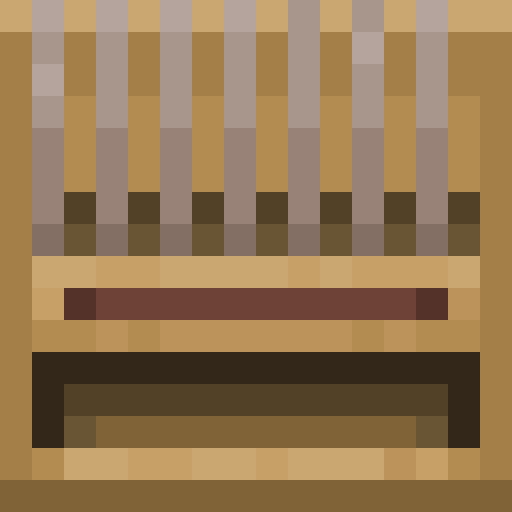
The loom is a special workstation used only for putting patterns on banners. Crafting recipe: 2 string + 2 planks (any wood type). The loom interface has 3 slots: banner, dye and an optional banner pattern.
Using the loom:
- Put the banner in the left slot. You'll see a preview of the banner's current state.
- Put the dye in the middle slot. The list of available patterns appears on the right.
- Pick a pattern from the list. The preview shows the result before you confirm.
- Optionally add a banner pattern for special patterns that aren't available with dye alone.
- Take the banner from the output slot on the right.
Each use of the loom consumes 1 dye and adds 1 pattern layer. A banner can have at most 6 layers. The last layer goes on top, so the order you apply layers in matters a lot for the final look. Experiment with the preview to get the effect you want.
Basic patterns (no banner pattern needed)
These patterns are available in the loom without any banner pattern. A banner and a dye are all you need:
| Pattern | Description |
|---|---|
| Base | Horizontal stripe along the bottom |
| Chief | Horizontal stripe along the top |
| Pale Dexter | Vertical stripe on the left |
| Pale Sinister | Vertical stripe on the right |
| Fess | Horizontal stripe across the middle |
| Pale | Vertical stripe down the middle |
| Bend | Diagonal stripe from top left to bottom right |
| Bend Sinister | Diagonal stripe from top right to bottom left |
| Cross | Plus sign / Greek cross |
| Saltire | X / St. Andrew's cross |
| Per Bend, Per Bend Sinister, Per Bend Inverted, Per Bend Sinister Inverted | Triangle in one corner (four variants, one for each corner) |
| Per Pale | Left half of the banner |
| Per Pale Inverted | Right half of the banner |
| Per Fess | Top half of the banner |
| Per Fess Inverted | Bottom half of the banner |
| Lozenge | Rhombus in the middle |
| Bordure | Frame around the edges |
| Bordure Indented | Indented (zigzag) frame |
| Field Masoned | Brick pattern across the whole banner |
| Gradient | Gradient from top to bottom |
| Base Gradient | Gradient from bottom to top |
With 16 colors for each layer and up to 6 layers, the possibilities grow astronomically. Most advanced banner designs use these basic patterns: you don't need special banner patterns to build an impressive coat of arms.
Special patterns (with banner patterns)
Special patterns need a banner pattern in the loom's third slot. Banner patterns are items you get in different places in the game:
| Banner pattern | Design | How to get |
|---|---|---|
| Flower Charge | Flower | Crafting: paper + oxeye daisy |
| Creeper Charge | Creeper face | Crafting: paper + creeper head |
| Skull Charge | Skull and crossbones | Crafting: paper + wither skeleton skull |
| Thing | Mojang logo | Crafting: paper + enchanted golden apple (Notch apple) |
| Globe | Globe | Trading with a cartographer (villager) |
| Snout | Piglin snout | Loot from bastion remnants |
| Flow | Flow pattern | Trial Chambers (1.21+) |
| Guster | Breeze pattern | Trial Chambers (1.21+) |
Banner patterns aren't consumed when you use them in the loom, so you can use them as many times as you like. Creeper Charge (a creeper face on a banner) is one of the most popular patterns: it looks aggressive and is easy to get if you have a charged creeper to get the head from.
Thing (the Mojang logo) needs an enchanted golden apple, which is extremely rare (it only comes from loot in structures and hasn't been craftable since 1.9). This banner pattern is a prestige item: if you have a banner with the Mojang logo, everyone on the server knows you put a lot of time into it.
Dyes: 16 colors
Minecraft has 16 dye colors, which set the color of every pattern layer on a banner. Here's how to get each one:
- White: bone meal (from bones) or lily of the valley.
- Light gray: azure bluet, oxeye daisy, white tulip, or white + black dye.
- Gray: white + black dye in the crafting table.
- Black: ink sac (from squids) or wither rose.
- Brown: cocoa beans (from jungle trees).
- Red: poppy, rose bush, beetroot or red tulip.
- Orange: orange tulip, or red + yellow dye.
- Yellow: dandelion or sunflower.
- Lime: smelted sea pickle, or green + white dye.
- Green: cactus (smelted in a furnace).
- Cyan: green + blue dye.
- Light blue: blue orchid, or blue + white dye.
- Blue: lapis lazuli or cornflower.
- Purple: blue + red dye.
- Magenta: allium, lilac, purple + pink dye, or white + red + blue dye.
- Pink: pink tulip, peony, or red + white dye.
The trickiest colors are brown (it needs cocoa beans from the jungle) and green (it needs a cactus from the desert, smelted). If you're planning big banner projects, build a flower farm with bone meal: it produces random flowers that you turn into dyes.
Layers and layer order
Each banner can have up to 6 pattern layers stacked on top of each other. The last layer you apply is on top. Order is key: the same set of patterns in a different order gives a completely different final result.
Example of building a knightly coat of arms:
- White banner (base)
- Layer 1: Per Fess (top half), red
- Layer 2: Pale (vertical stripe down the middle), yellow
- Layer 3: Cross (plus sign), black
- Layer 4: Bordure (frame), black
- Layer 5: Lozenge (rhombus), white
- Layer 6: Creeper Charge (creeper face), black
The result is a white-and-red coat of arms with a yellow stripe, a black cross, a border and a creeper face on the rhombus. Any change in layer order gives a different result. That's what makes designing banners so addictive: experimenting with combinations can eat up hours.
Banners on shields
You can apply a banner to a shield in the crafting table: shield + banner (any slot arrangement). The banner's pattern carries over to the front of the shield. It's the only way to personalize a shield in vanilla Minecraft.
On PvP servers a marked shield is a way to recognize people: you know who's attacking you by the crest on their shield. Teams often use one banner design for all their members. In singleplayer it's just a nice detail that makes your shield look special instead of a standard brown plank.
Limitations: shields with a banner can't be stacked. A banner on a shield is purely cosmetic and doesn't affect stats or durability.
Copying banners
You don't have to rebuild a complex banner layer by layer every time. Copying a banner is a crafting recipe: a finished banner (the pattern source) + a blank banner (with the same base color) = 2 identical banners. The source banner isn't used up.
That means once you've made a banner, you can copy it indefinitely as long as you have blank banners. It's perfect for decorating a whole base, server or village with a single design. Make one perfect banner, then copy it in stacks.
Requirement: the source banner and the blank banner must have the same base color (white + white, red + red, and so on). You can't copy a pattern from a white banner onto a red one. You have to rebuild it from scratch.
Decorative uses
Marking your base and territory
Banners on base walls, at entrances and on watchtowers are classic building in Minecraft. A family crest on every building in your village gives it a consistent look. On multiplayer servers, banners mark territory borders and which buildings belong to whom.
Banners on maps
In Java Edition, a banner placed in the world can appear as a marker on a map (use the map on the banner), in the banner's color. That makes banners a great way to mark important locations: your base, a farm, a mine, a portal to the Nether. Rename the banner on an anvil and the name appears on the map next to the marker.
Interior decoration
Wall banners imitate tapestries, wall hangings and standards. Combined with item frames, bookshelves and flower decorations, they create richly decorated medieval-style interiors. Two banners side by side with matching patterns can form one large picture.
Navigation systems
Use different banner colors as a navigation system in mines and tunnels. Red = danger (lava). Green = safe path. Yellow = intersection. Blue = water. It's better than torches because banners are easy to spot from a distance.
Tips and tricks
- Removing layers: a cauldron with water washes banners. One click on the cauldron with a banner in hand removes the last pattern layer. You can remove all the layers one after another and get back to a plain banner.
- Ominous Banner: the Ominous Banner (the banner with the Illager pattern) can be obtained from pillager captains. You can also use it as decoration: it looks menacing and is one of a kind.
- You don't have to use all 6 layers: many advanced banner designs use fewer than 6. Sometimes 2-3 layers look better than 6. Don't try to use every layer at all costs.
- Banner patterns aren't consumed: banner patterns for special designs (Creeper, Skull, Thing and so on) are reusable. Invest once, use forever.
- Online banner generators: sites like needcoolshoes.com and planetminecraft.com have banner generators where you design patterns in the browser and get the recipe to rebuild them in the game. It saves experimenting time.
- Banners don't burn: unlike many wooden blocks, banners are fire-resistant. You can safely place them next to chimneys, lava and campfires without the risk of them burning.
- Wind moves banners: banners have a subtle "swaying in the wind" animation. On large builds with rows of banners the effect is impressive.