
8-bit ALU (redstone)
Redstone arithmetic logic unit (ALU), the heart of an 8-bit processor.
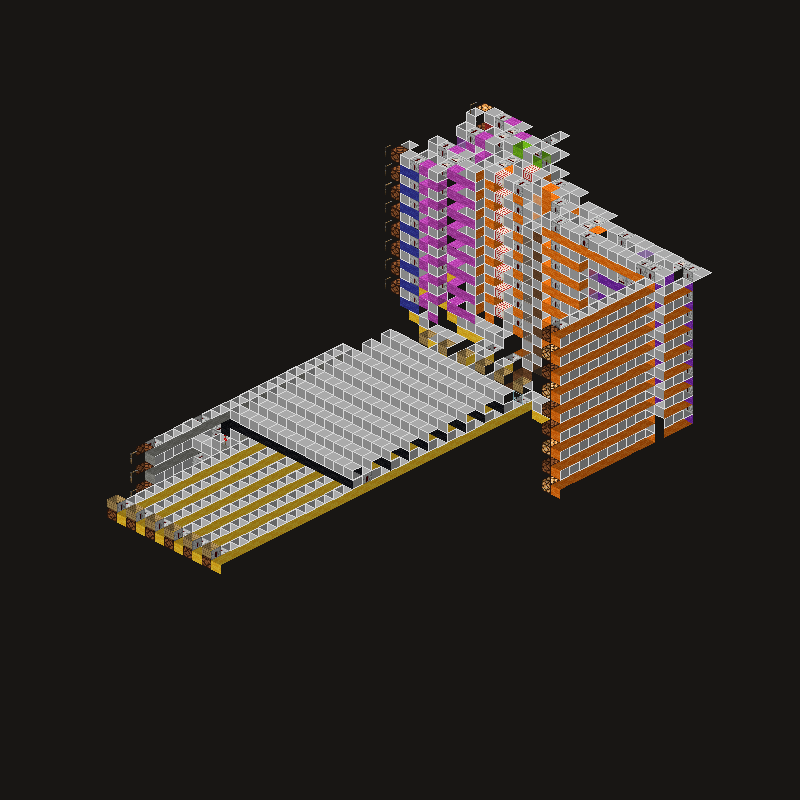
Paste it with WorldEdit using //schematic load redstone-alu-8bit, then //paste.
Alternatively, open the file in Litematica and place the blocks yourself in Survival.
3D preview in your browser
Open in full view →Rotate the model with your mouse and zoom with the scroll wheel. Explore mode lets you fly inside (WASD + space/shift), and Layers mode shows the schematic layer by layer.
About the build
A complete redstone arithmetic logic unit (ALU) that performs addition, subtraction and logic operations on 8-bit numbers. It's part of a larger redstone processor project by qbradq, and it's great for learning how logic circuits work in Minecraft. The file is released under the MIT license.
Material list
In total, you need ~3,000 blocks for this build. Here are the key materials:
Key features
- Arithmetic and logic operations
- 8-bit
- MIT license
- 3D preview in your browser
How to build it: tips
Step 1: Prepare the site
Find a suitable spot in your world and measure out an area of 31x31x45 blocks (length x height x width). Make sure the area is big enough and doesn't overlap with other builds.
Step 2: Foundation and outline
Start with the foundation and the outline of the build. Measure 31 blocks in length and 45 blocks in width. Place the corners and join them with lines of the base block (Redstone Dust). For complex designs, it's worth using temporary blocks (such as dirt) as scaffolding.
Step 3: The main structure
Build from the bottom up, one floor at a time. Raise the walls from the main materials: Redstone Dust, Repeaters, Comparators. Leave gaps for windows and doors. For more complex elements (arches, domes, spirals), build symmetrically from the center outward.
Step 4: Roof and exterior details
Once the walls are up, move on to the roof. Build the roof from stairs of a matching material, and don't forget the eaves. Add the exterior details: lighting, fences, decorations.
Step 5: Interior and finishing touches
Finally, furnish the interior. The key features of this schematic are: Arithmetic and logic operations, 8-bit, MIT license, 3D preview in your browser. Add enough lighting (lanterns, torches, sea lanterns) to stop hostile mobs from spawning: at least one light source every 12 blocks.
Redstone tips
Redstone contraptions need their components placed precisely. Build the circuit layer by layer and test it after each stage. Remember that a redstone signal reaches 15 blocks, and use repeaters to extend it. If something doesn't work, check that no redstone dust touches a block it shouldn't.
Tags
Similar schematics
15×8-bit register (redstone)
Memory bank: 15 registers of 8 bits each, for a redstone processor.
3-to-8 decoder (redstone)
Circuit that decodes a 3-bit input into 8 output lines.
Full adder (redstone)
Full 1-bit adder, the building block of adding circuits.
8-bit CCA accumulator (redstone)
8-bit accumulator with carry, a computing module for a processor.
